
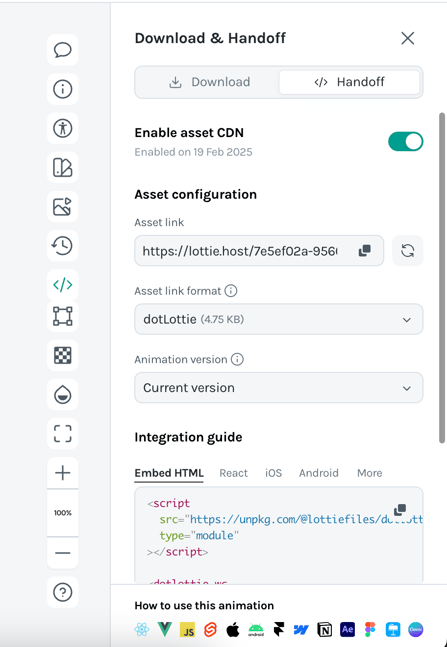
Integration Guide
Access ready-to-use embed code for:
- HTML
- React
- iOS
- Android
- More platforms - Click "More" to view additional integration options
You'll also find:
- oEmbed URL
- iFrame embed code
CDN Usage & Limits
Asset CDN usage is based on bandwidth traffic with the following allocations:
| Plan | Monthly CDN Allowance | Add-on Available |
|---|---|---|
| Starter | 100 MB | No |
| Individual | 10 GB | Yes - 10 GB for $1.50 |
| Team | 50 GB | Yes - 10 GB for $1.50 |
| Enterprise | Custom allocation | Custom pricing |
Monitoring Your Usage
To check your CDN usage:
- Go to Workspace Settings
- Navigate to Asset Link Usage
⚠️ Important: If you exceed your CDN quota, your assets will be disabled until you upgrade your plan or add more bandwidth.