Adding Tags
Tags help you categorize and find animations quickly across your workspace.
How to add tags:
- Open your animation in the workspace
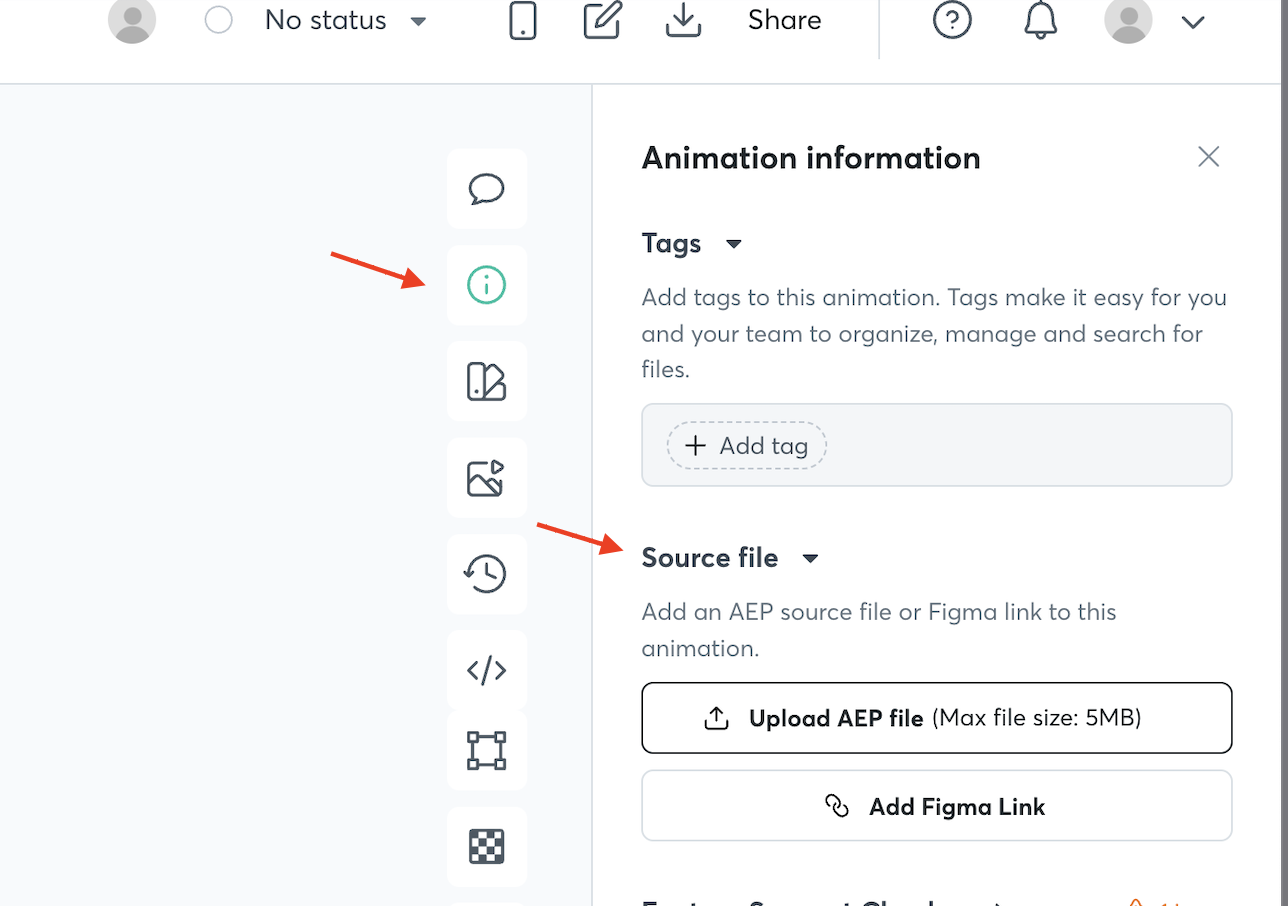
- Click the information icon (i) in the left panel
- Under the Tags section, click + Add Tag
- Enter custom tags or select from suggested tags as you type
- Add as many tags as needed
- Click Save
💡 Tip: Use consistent tags across projects (e.g., "onboarding", "button", "loading") to make searching easier.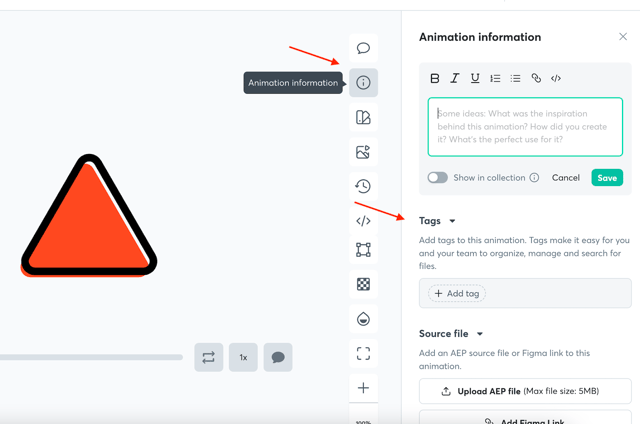
Adding Source Files
Attach original design files to your animations for easy reference and collaboration.
Supported source files:
- Adobe After Effects (.aep) files - max 5MB
- Figma file links
How to add source files:
- Open your animation in the workspace
- Click the information icon (i) in the left panel
- Under the Source file section, choose:
- Upload AEP File - Upload your After Effects project file
- Add Figma Link - Link to your Figma design
Note: You can attach only one source file per animation.
Replacing Source Files
- Click the ⋮ menu next to the existing source file
- Select Upload & Replace
- Upload your new file
Access Permissions
🔒 Important: Only users with download access can download source files. Manage team permissions to control who can access your source files.
Key benefits:
- Keep design files connected to animations
- Enable seamless handoff between designers and developers
- Maintain version control and design history